
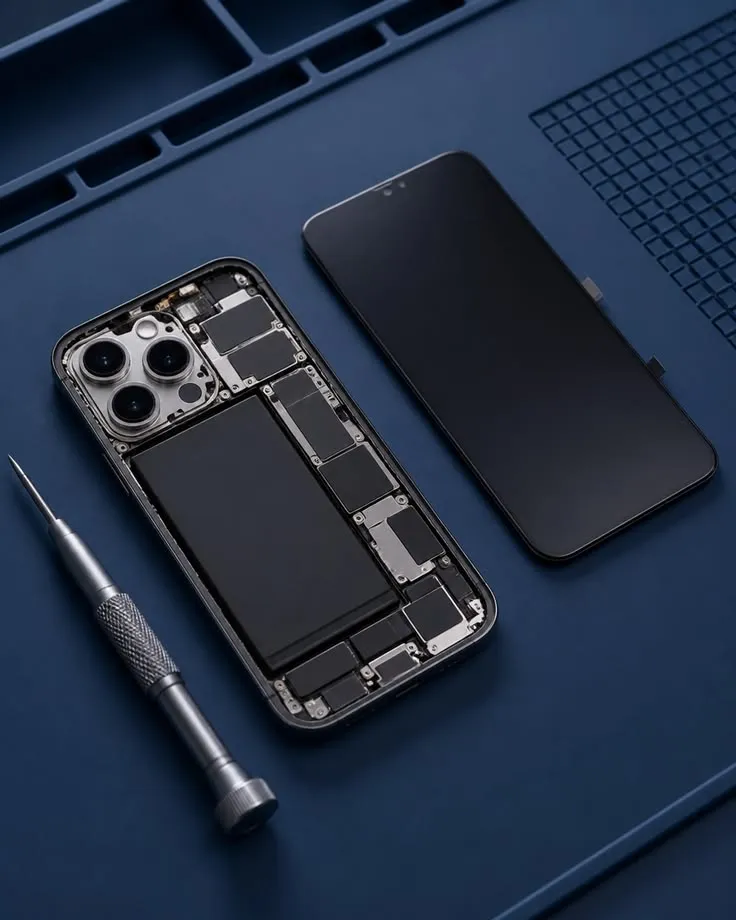
An iPhone can remain useful for years when it receives appropriate care and software support. Nevertheless, accidental drops, battery wear, and repeated daily handling can eventually cause problems. Some issues can be resolved through basic troubleshooting, while others require replacement parts or specialized diagnostic equipment. People exploring iPhone repair Humble TX services should understand the difference before attempting complicated repairs at home. Knowing which symptoms require professional attention can reduce unnecessary expenses and help protect important data stored on the device.
Cracked Screens Can Affect Multiple Functions
A cracked display may continue working initially, but damage can spread as the device experiences additional pressure. Broken glass also creates an uncomfortable surface and may expose sensitive areas around the screen assembly.
Some iPhones develop touch-response problems even when the glass appears relatively intact. Unresponsive areas, image distortion, or unusual display colors can indicate deeper screen damage. A technician can assess whether the screen assembly needs replacement and test its functionality afterward.
Battery Health Changes With Regular Use
Lithium-ion batteries gradually lose capacity as they age. On compatible iPhone models, the Battery Health settings provide useful information about maximum capacity and certain performance conditions.
A battery that drains quickly may be worn, but software activity can also influence operating time. Background processes, location services, and intensive applications can increase power consumption.
If the device shuts down unexpectedly or cannot hold a practical charge, professional battery testing may help. Physical swelling or unusual heat requires additional caution and should not be treated as normal battery aging.
Charging Problems Are Not Always Battery Problems
An iPhone that refuses to charge may have a damaged charging cable, adapter, charging port, or internal component. Wireless charging behavior, where supported, can sometimes provide additional diagnostic clues.
Before assuming that the charging port requires replacement, try a compatible charging accessory and inspect the connection for visible debris. Do not use sharp metal tools to clean the port.
Persistent charging failures should be assessed professionally. Replacing components without identifying the actual fault can create additional expenses without resolving the underlying problem.
Camera and Audio Problems Need Careful Diagnosis
Smartphone cameras contain delicate components that can be affected by impact or moisture. Blurry images, focusing difficulties, and unexpected camera errors may indicate hardware faults.
However, some problems can also result from dirty lenses, application settings, or temporary software issues. Basic cleaning and restarting the device may help identify simpler causes.
Speakers and microphones deserve similar attention. If callers cannot hear your voice or audio becomes distorted, a technician can determine whether the issue involves contamination, software, or damaged hardware.
Troubleshooting Before Visiting a Repair Shop
Several checks can help owners describe the problem more clearly and avoid unnecessary repairs.
- Restart the iPhone when it is safe to do so.
- Check for compatible software updates.
- Test charging with a reliable accessory.
- Review battery usage information.
- Examine whether the problem affects multiple applications.
- Back up important information whenever possible.
These checks should not replace professional assessment when the device is physically damaged, unusually hot, or exposed to liquid.
Understand Repair Parts and Functionality
Not all replacement parts are identical. Depending on the model and repair, different part options may affect display characteristics, battery information, or the availability of certain device features.
Before authorizing work, ask what kind of part will be installed and whether any limitations should be expected. Technicians should explain relevant compatibility issues and conduct functional testing after completing the service.
Water resistance also deserves attention. Opening a smartphone can affect existing seals, and a repaired device should not automatically be assumed to retain its original resistance rating.
Privacy and Data Protection During Service
iPhones contain highly personal information, making data preparation an important part of repair planning. Creating a current backup can reduce the consequences of an unexpected data loss during troubleshooting or component replacement.
Customers should also ask whether device access is required for testing and how sensitive information will be handled. Authentication credentials should never be shared casually.
A professional service process includes clear communication about repairs, diagnostic permissions, and the work authorized by the customer.
Conclusion
Common iPhone problems range from relatively straightforward screen and battery issues to complicated charging, camera, and internal hardware faults. The most appropriate solution depends on accurate diagnosis rather than assumptions based on symptoms alone. Phone Repair Nerds provides iPhone repair services in Humble, Texas, including screen replacement, battery service, and charging-related troubleshooting. Customers who ask about replacement parts, costs, testing, and data protection can approach repairs with greater confidence. Timely attention to developing issues may also help prevent avoidable damage to an otherwise usable device.